Pixel Vault
Sharing AI-assisted code prototypes is messy and fragmented. There are a lot of tools and a lot of things to share in an age of abundance of code.
Solution:
Role:
The Challenges
AI‑assisted UI engineering for teams is disjointed. There’s a deployed link here, a Figma template there, and an experimental component running in another environment—maybe deployed somewhere, maybe only local. We live in an age where we can generate code with ease, but how do we actually curate and share all of this within a team?
The Solutions
Pixel Vault is a resource base for all things UI engineering within a team. It’s built for sharing work, curating creative UI output, and connecting everything from prompts to prototypes and everything in between. Explore the demo here ↗ to get a better feel for what I built in three days.
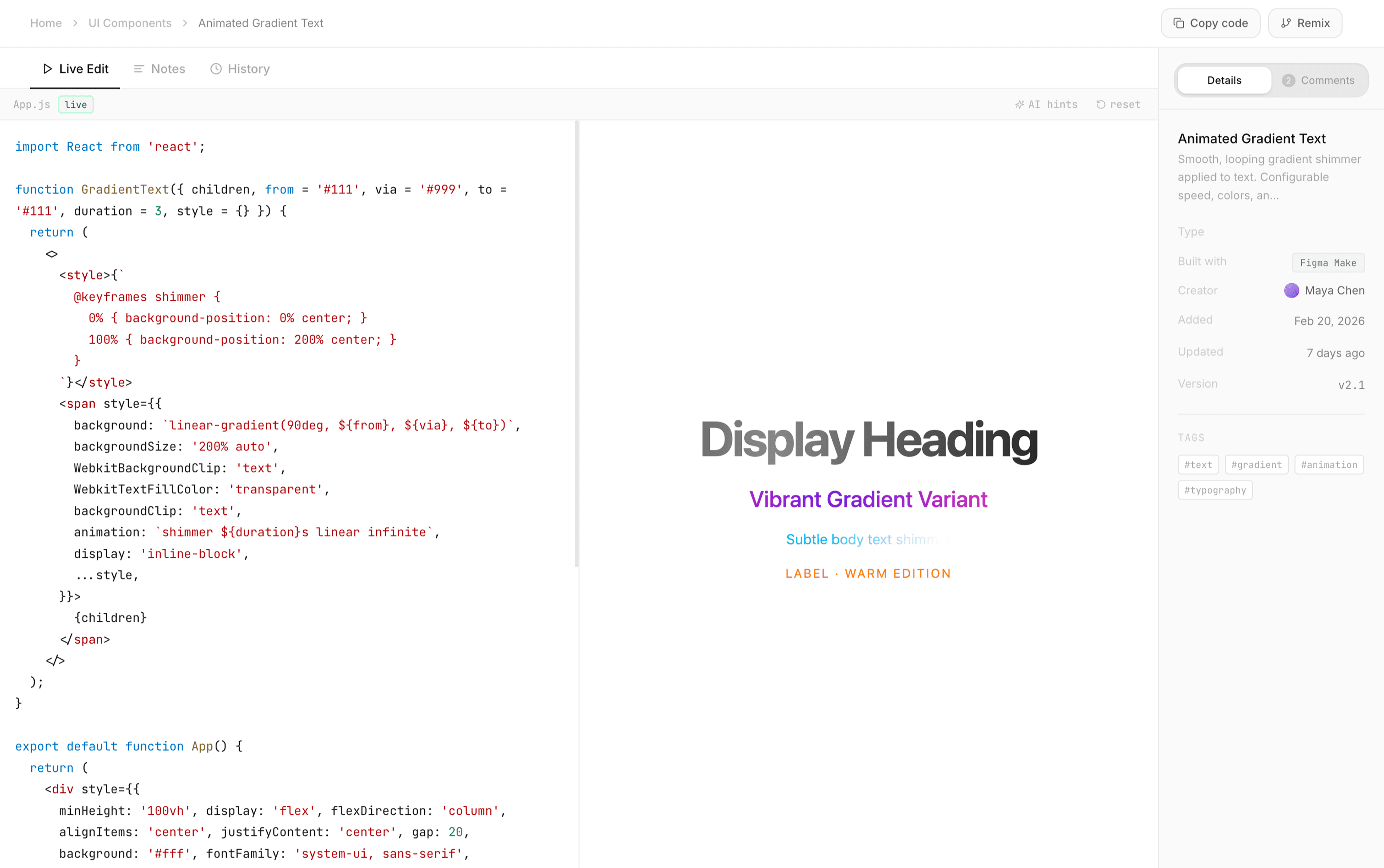
The UI Components page has a subtle stagger animation across all the cards, and I built a coding sandbox to explore components in their actual context, complete with a comments section for collaborative work within the team.
DX in the Coding Sandbox
This screen was really interesting to design because I had to think very intentionally about developer experience and polish. I was using Claude Sonnet, and initially the UI was just plain text with no context, no hierarchy, and no colour. So I added structure, visual cues, and AI hints, because whenever I’m in one of these online coding sandboxes I always miss the IDE plugins that give you a similar experience.
Prototypes
Users can upload prototypes, share them with teammates, and keep a record of iterations and explorations that can be borrowed and remixed across the team.
Prompts & Templates
This animation was one of my favourite parts of the project. I’m trying to get better at thinking through interfaces as interactive systems and exploring interaction patterns that aren’t as conventional, just creating small moments of joy in how we interact with computers as humans.
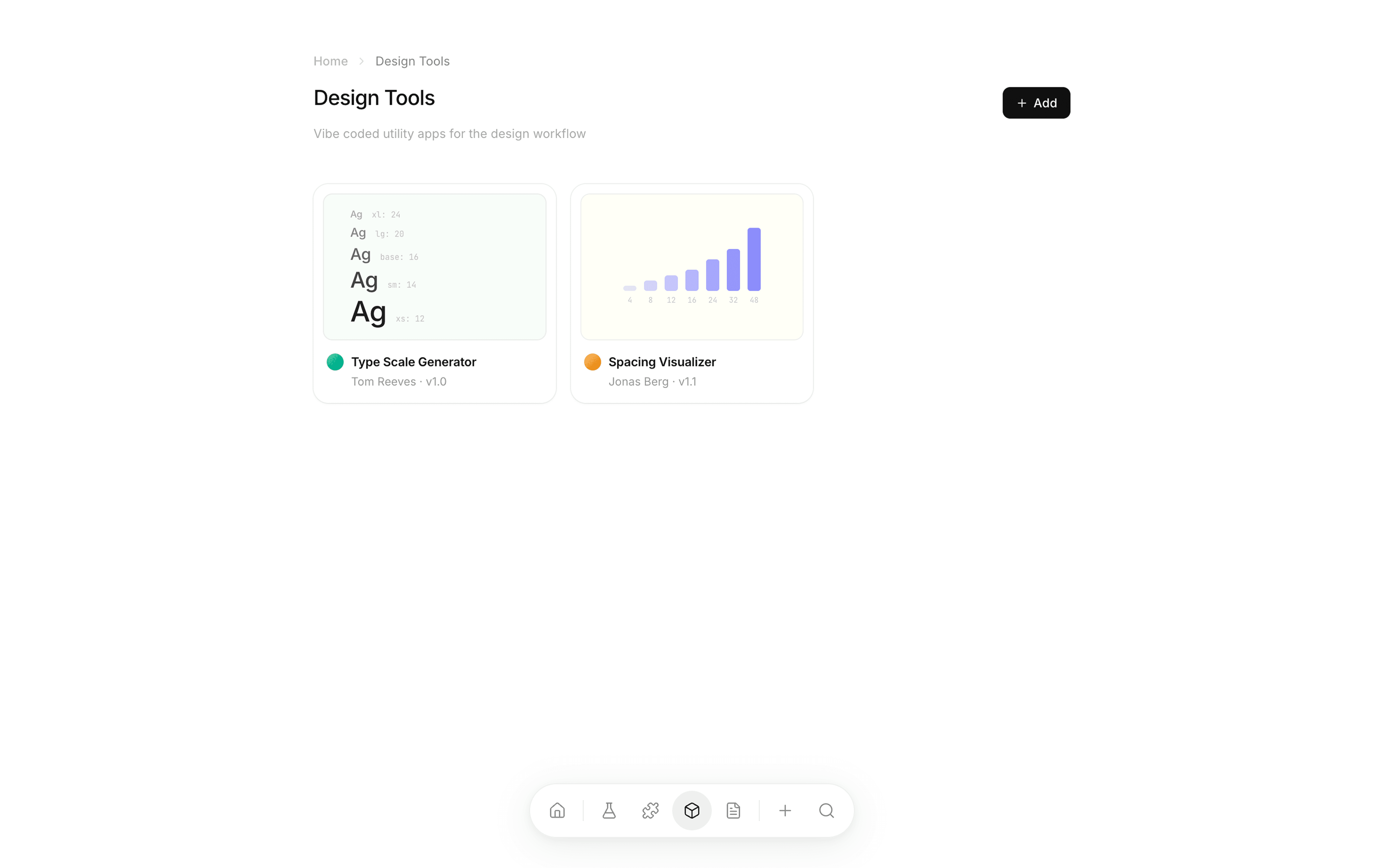
Vibe Coded Design Tools
In the age of democratised software creation, designers are creating their own tools—plugins, micro‑apps, and internal utilities—and I wanted this to be a place where those tools can be shared and stored within teams.
Learnings & Outcomes
I learnt that while AI prototyping helps designers move faster, skills stack on top of each other: my technical background was amplified by the tool. At the same time, relying on these tools introduces new constraints, like token management and being mindful about what you delegate to the agent.